
myMedia Player
A video and music player that opens almost any file, no codecs to install
FreeWindowsmacOSLinux
Sobre o myMedia Player
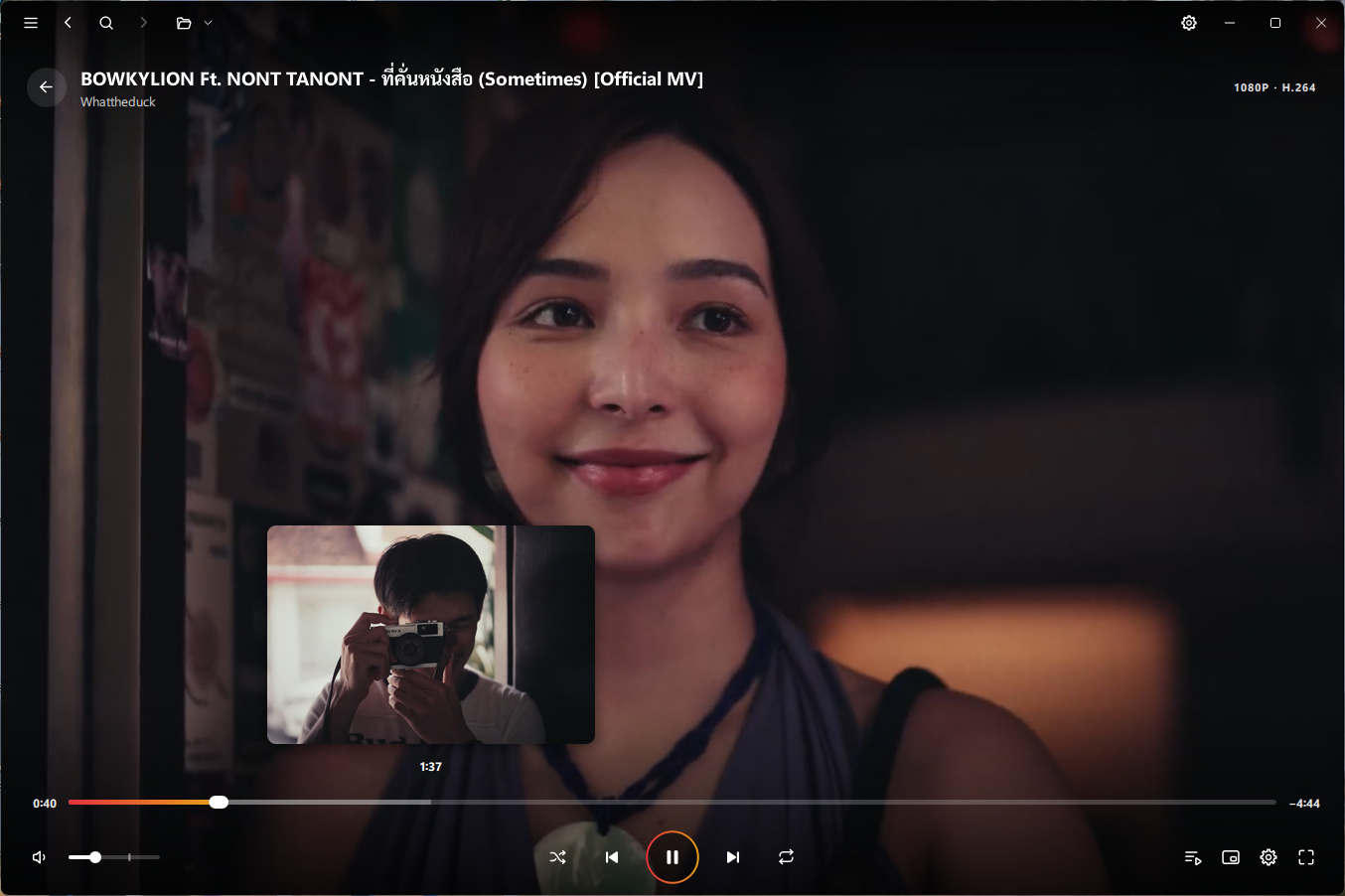
myMedia Player plays video and music with mpv, so it opens almost any file without installing codecs. It plays files, folders and URLs or streams, sizes its window to the video, and hides its title bar while you watch. Free to use.
Installing on a Mac (beta)
The Mac version is a beta and is not signed with Apple yet, so macOS will not open it the first time. Allow it once:
1. Download macOS (Beta) from the download box on this page.
2. Open the .dmg file and drag myMedia Player into the Applications folder.
3. Open myMedia Player from Applications. macOS says Apple could not verify it: click Done (not Move to Trash).
4. Open System Settings › Privacy & Security, scroll down to the message that myMedia Player was blocked, and click Open Anyway.
5. Enter your password or use Touch ID, then click Open Anyway again.
After that it opens normally. The Open Anyway button stays for about an hour after you try to open the app; if it is not there, open the app again first.
If macOS says the app is damaged, or it still will not open, open Terminal, paste this command, press Return and open the app again:
xattr -dr com.apple.quarantine "/Applications/myMedia Player.app"
The beta does not update itself (Check for updates always says you are on the latest version). Look for new versions on this page: download the new file, drag it over the old app in Applications and allow it again as in steps 3–5. Report Mac problems through this site's contact page.
O que ele faz
- Plays almost any format: MKV, MP4, AVI, MOV, WebM, TS/M2TS, HEVC, AV1, VP9, FLAC, DTS, TrueHD, Opus and more
- Opens files, folders or URLs and streams, or a file dropped on the window
- Sizes its window to the video, can keep that shape while resizing, and moves when you drag the video
- Light, dark or system theme in several styles, with the system accent or one of your own · Thai and English
- Updates itself, checking the signature before every install
Baixar
Versão 2026.0.1111.1605 · 11 nov. 2026
Requisitos do sistema
- Windows 10 or 11 (64-bit)
- Mac (beta): Apple silicon (M1 or later) and macOS 15 Sequoia or later. Intel Macs are not supported.
Histórico de versões
Versão 2026.0.1111.160511 nov. 2026
- Internal work on the update code (nothing changes for people on Windows), ready for the Mac and Linux versions to update from the website.
Versão 2026.0.1108.12078 nov. 2026
- Fixed: the right-click menu running off the screen on short screens or at a large scale (such as Windows in a virtual machine). Menus now always stay within the screen, clear of the taskbar, and scroll with the mouse wheel when they are taller than it.
- Fixed: the player closing on old graphics drivers (such as an AMD Radeon HD 7660D on Windows 11). New Settings › Video › Video drawing: Auto / Compatible / Full. Auto draws video the compatible way with AMD's old drivers, or after the player closed in the graphics driver while drawing video (picture quality and Sharper picture have no effect in it).
- The settings button is gone from the title bar (Settings is in the side menu, or Ctrl+,) and the queue button is gone from the bar at the bottom of the Library and Settings pages (the queue is in the player). The guided tour now points at Settings in the side menu.
- New interface size (75%–200%) in Settings › General: makes everything in the player bigger or smaller, on top of the screen's own scale. It takes a restart to apply (the row has a Restart now button).
- Fixed: the program's window ending up behind other windows after the splash screen (when another window took the focus while it was starting). The window now comes to the front once it has drawn.
- Player: the title bar keeps only the window buttons. The way back and the title moved to its left, and the back button returns to the page you came from (like the title bar's Back) instead of always going home.
- The bar at the bottom is laid out like a music player. Left: the cover with title and artist. Middle: shuffle · previous · play · next · repeat, always centred. Right: time, volume with its slider, open the player and stop. In a narrow window the right side drops its parts, the last first.
- Fixed: shutting down or restarting with the player still open lost the latest state. The player now saves everything before Windows closes it: where you were in the open file for "Continue watching", the last playlist, the window's size and place, and Pan & Scan.
- Library: music can be browsed by albums, artists or songs. Open an album or an artist to see its songs, with Play and Shuffle; going back keeps your place in the list.
- The Library page is organised anew: search sits beside the title, the filters follow the section (not watched / in progress / watched for videos; albums / artists / songs for music), "All" shows films and series only (songs are under Music), and the header lines up with the cards below.
- Big libraries open much faster (about three times faster with tens of thousands of files; switching sections and music views is nearly instant).
- The music page uses about half the CPU while playing, and almost none while paused (the background and the bars no longer redraw on every frame of the screen).
- Fixed: the mouse wheel over the lyrics also changed the volume. It now only scrolls the lyrics.
- New colour of the controls: white (the default) or your accent colour, in Settings › Playback. It applies to the seek bar, the volume and sliders in the player, the play button's ring and the bars of the song playing in the queue (the icon in the play button is a little larger too).
- The volume slider's knob stays hidden until you point at it or drag, like the seek bar's.
- The times are now centred on the seek bar's line.
- Music page: rounded corners on the album cover, a smoother shadow under it, and the blurred background turns more slowly.
Setup EXE · Download from Microsoft Store · macOS (Apple silicon) - Beta · Linux x64 (AppImage) - Beta
Versão 2026.0.1107.22057 nov. 2026
- Fixed: the player closing on old graphics drivers (such as an AMD Radeon HD 7660D on Windows 11). New Settings › Video › Video drawing: Auto / Compatible / Full. Auto draws video the compatible way with AMD's old drivers, or after the player closed in the graphics driver while drawing video (picture quality and Sharper picture have no effect in it).
- The settings button is gone from the title bar (Settings is in the side menu, or Ctrl+,) and the queue button is gone from the bar at the bottom of the Library and Settings pages (the queue is in the player). The guided tour now points at Settings in the side menu.
- New interface size (75%–200%) in Settings › General: makes everything in the player bigger or smaller, on top of the screen's own scale. It takes a restart to apply (the row has a Restart now button).
- Fixed: the program's window ending up behind other windows after the splash screen (when another window took the focus while it was starting). The window now comes to the front once it has drawn.
- Player: the title bar keeps only the window buttons. The way back and the title moved to its left, and the back button returns to the page you came from (like the title bar's Back) instead of always going home.
- The bar at the bottom is laid out like a music player. Left: the cover with title and artist. Middle: shuffle · previous · play · next · repeat, always centred. Right: time, volume with its slider, the queue, open the player and stop. In a narrow window the right side drops its parts, the last first.
- Fixed: shutting down or restarting with the player still open lost the latest state. The player now saves everything before Windows closes it: where you were in the open file for "Continue watching", the last playlist, the window's size and place, and Pan & Scan.
- Library: music can be browsed by albums, artists or songs. Open an album or an artist to see its songs, with Play and Shuffle; going back keeps your place in the list.
- The Library page is organised anew: search sits beside the title, the filters follow the section (not watched / in progress / watched for videos; albums / artists / songs for music), "All" shows films and series only (songs are under Music), and the header lines up with the cards below.
- Big libraries open much faster (about three times faster with tens of thousands of files; switching sections and music views is nearly instant).
- The music page uses about half the CPU while playing, and almost none while paused (the background and the bars no longer redraw on every frame of the screen).
- Fixed: the mouse wheel over the lyrics also changed the volume. It now only scrolls the lyrics.
- New colour of the controls: white (the default) or your accent colour, in Settings › Playback. It applies to the seek bar, the volume and sliders in the player, the play button's ring and the bars of the song playing in the queue (the icon in the play button is a little larger too).
- The volume slider's knob stays hidden until you point at it or drag, like the seek bar's.
- The times are now centred on the seek bar's line.
- Music page: rounded corners on the album cover, a smoother shadow under it, and the blurred background turns more slowly.
Setup EXE · Download from Microsoft Store · macOS (Apple silicon) - Beta · Linux x64 (AppImage) - Beta
Versão 2026.0.1028.224028 out. 2026
- Fixed: shutting down or restarting with the player still open lost the latest state. The player now saves everything before Windows closes it: where you were in the open file for "Continue watching", the last playlist, the window's size and place, and Pan & Scan.
- Library: music can be browsed by albums, artists or songs. Open an album or an artist to see its songs, with Play and Shuffle; going back keeps your place in the list.
- The Library page is organised anew: search sits beside the title, the filters follow the section (not watched / in progress / watched for videos; albums / artists / songs for music), "All" shows films and series only (songs are under Music), and the header lines up with the cards below.
- Big libraries open much faster (about three times faster with tens of thousands of files; switching sections and music views is nearly instant).
- The music page uses about half the CPU while playing, and almost none while paused (the background and the bars no longer redraw on every frame of the screen).
- Fixed: the mouse wheel over the lyrics also changed the volume. It now only scrolls the lyrics.
- New colour of the controls: white (the default) or your accent colour, in Settings › Playback. It applies to the seek bar, the volume and sliders in the player, the play button's ring and the bars of the song playing in the queue (the icon in the play button is a little larger too).
- The volume slider's knob stays hidden until you point at it or drag, like the seek bar's.
- The times are now centred on the seek bar's line.
- Music page: rounded corners on the album cover, a smoother shadow under it, and the blurred background turns more slowly.
Setup EXE · Download from Microsoft Store · macOS (Apple silicon) - Beta · Linux x64 (AppImage) - Beta
Versão 2026.0.1027.144227 out. 2026
- Fixed: shutting down or restarting with the player still open lost the latest state. The player now saves everything before Windows closes it: where you were in the open file for "Continue watching", the last playlist, the window's size and place, and Pan & Scan. The next start picks up where you left off, after a shut down, a restart or signing out.
Setup EXE · Download from Microsoft Store · macOS (Apple silicon) - Beta · Linux x64 (AppImage) - Beta
Versão 2026.0.1011.12010 out. 2026
- minor UI enhancements.
Setup EXE · Download from Microsoft Store · macOS (Apple silicon) - Beta · Linux x64 (AppImage) - Beta
Versão 2026.0.1010.3519 out. 2026
- Bug fixes and minor UI enhancements.
Setup EXE · Download from Microsoft Store · macOS (Apple silicon) - Beta · Linux x64 (AppImage) - Beta
Versão 2026.0.1009.10129 out. 2026
- Fixed: the program would not start on PCs with an old graphics driver ("Entry Point Not Found", vkGetPhysicalDeviceProperties2). It now uses the Vulkan loader that comes with the installer instead.
- Up next: at the credits or near the end, a card shows the next video with a preview and counts down. Play it now (Enter) or cancel; set the time or turn it off in Settings › Playback.
- Favourite scenes: press N to keep the moment on screen with its picture and a note. Find them in the Scenes tab of the player's panel, on the seek bar and on Home, and jump straight back to any of them.
- Backup and restore: settings, library, history and favourite scenes in one file, to move to another PC or keep safe. What is there is always kept first (Settings › General).
- Previews on hover: rest the mouse on a card on Home or in the library and it plays in the card, muted.
- Times drop the hour under an hour (15:42, not 0:15:42), and the colon sits centred on the figures.
- Music and lyrics: gapless playback, crossfade between songs, and synced LRC lyrics; click a line to jump there.
- Export & create: clips to MP4/MKV, GIF/WebP, audio to WAV/FLAC/MP3, and subtitles from speech with whisper.cpp, offline.
- Guided tour: highlights the real controls step by step. Start it from the guide.
- Now also in the Microsoft Store: https://apps.microsoft.com/detail/9PBN2RWB8NLW
Setup EXE · Microsoft Store · macOS (Apple silicon) - Beta · Linux x64 (AppImage) - Beta · Setup MISX
Versão 2026.0.1008.13488 out. 2026
- Fixed: the program would not start on PCs with an old graphics driver ("Entry Point Not Found", vkGetPhysicalDeviceProperties2). It now uses the Vulkan loader that comes with the installer instead.
- Previews on hover: rest the mouse on a Continue watching card on Home, or on a film, series or episode in the library, and it plays in the card, muted (Settings › Playback to turn off).
- Times drop the hour under an hour (15:42, not 0:15:42), and the colon sits centred on the figures.
- Music and lyrics: gapless playback, crossfade between songs (1–12 seconds), and LRC lyrics, loaded with a song of the same name; click a line to jump there, adjust the timing with −/+.
- Export & create: a clip to MP4/MKV (then an AI copy of just that clip), GIF/WebP up to 60 seconds, audio to WAV/FLAC/MP3, and subtitles from speech with whisper.cpp (a one-time download, then it works offline on your PC). Source files are never changed.
- Guided tour: highlights the real controls step by step and waits for you to try each one. Start it from the guide.
Setup EXE · macOS (Apple silicon) - Beta · Linux x64 (AppImage) - Beta
Versão 2026.0.1005.19045 out. 2026
- Added a Media Library for movies, series and music, with favorites, categories, search, sorting and watch status.
- Added Shuffle, Repeat and Stop controls, and improved control layouts and icons for smaller windows.
- Added Side Navigation for Home, Library and Guide, with Settings at the bottom and a compact navigation layout.
- Added a Settings button on the right of the title bar and an Update button that appears when a newer version is detected.
- Added gradient accent themes matching the app icon, with selectable color combinations and a color preview button.
- Improved gradient button readability with white labels and adjusted background contrast.
- Fixed title bar blur alignment while scrolling and added a translucent blurred background to the bottom playback bar.
- Refined the side navigation background during video playback to blend better with the picture and controls.
- Updated context menus so they can extend beyond the app window.
- Extended the loading spinner to appear when opening media, as well as during buffering.
- Improved seek bar hover previews to preserve the video’s aspect ratio, including portrait and rotated video. Added visibility and size settings, and removed the preview border.
- Added Sharper presets: Anime4K A+A, B+B, C+A, ArtCNN, ArtCNN Denoise + Sharpen and FSRCNNX.
- Added sharpening strength and quality options, plus Darker Lines / Thinner Lines effects for anime.
- Added automatic picture preset selection for anime and other video, with manual choices remembered per series or folder.
- Added hold C to compare with the original picture during playback.
- Added Make an AI Copy to create sharper video with Real-ESRGAN, smoother video with RIFE, or both, with background processing support.
- Improved AI copy processing and added hardware video encoding when supported, with a CPU fallback when hardware encoding is unavailable.
- Added AI Preview to test a 5- or 10-second section before processing the whole file. Choose a start time or use the current playback position, and estimate full-video processing time from the preview.
- Added an Original / AI Preview comparison with a draggable divider, zoom, pan and frame selection. Fixed divider dragging incorrectly moving the window.
- Improved interface responsiveness during playback and fixed video stuttering when holding the title bar before dragging the window.
- Added an in-app guide with lessons and action buttons, plus a welcome screen for first-time users.
- Added Reduce Motion to reduce interface animations, sliding and zooming while keeping loading indicators active.
- Added Reset Defaults for individual settings sections or all preferences, with confirmation. Media files, the library, playback history and saved per-series choices are preserved.
- Fixed library poster initialization and updated Thai and English text for the new features.
Setup EXE · macOS (Apple silicon) - Beta · Linux x64 (AppImage) - Beta
Versão 2026.0.1004.13454 out. 2026
- ปรับปรุงประสิทธิภาพ และเพิ่ม AI preview
Versão 2026.0.1002.20062 out. 2026
- Sleep timer: pause, close the program or put the computer to sleep after a while or at the end of the file
- Skip intro and Next episode buttons (from the file's chapters, or an intro marked once per series)
- Quick subtitle sync: press as you hear the line and the subtitles match (Ctrl+Shift+Left / Right), remembered per file
- Karaoke mode: reduce the vocals and change the key
- Pauses by itself when headphones are unplugged or a Bluetooth headset disconnects
- Report a problem from inside the program, with the details that help fix it
- Videos open faster when starting, switching files and resuming, and the dedicated graphics card is no longer woken for nothing
Versão 2026.0.1002.15252 out. 2026
- Videos open faster: when starting with a file, when switching files and when resuming where you left off (resuming 4K video is about 4× faster)
- Laptops with an NVIDIA graphics card: it is no longer woken when not needed, for a faster start and longer battery life
- Files in large or network folders start playing at once; the rest of the folder is queued in the background
Versão 2026.0.1001.17181 out. 2026
- Sharper picture: AMD CAS, AMD FSR and Anime4K modes A/B/C (Settings › Video, Ctrl+E)
- Graphics card choice: on laptops with a dedicated GPU, Sharper picture uses it automatically
- Starts on computers without a graphics driver, such as virtual machines
- The window no longer grows past the screen when it fits a video
- Smoother volume changes from a touchpad
Versão 2026.0.1001.7381 out. 2026
- First Version