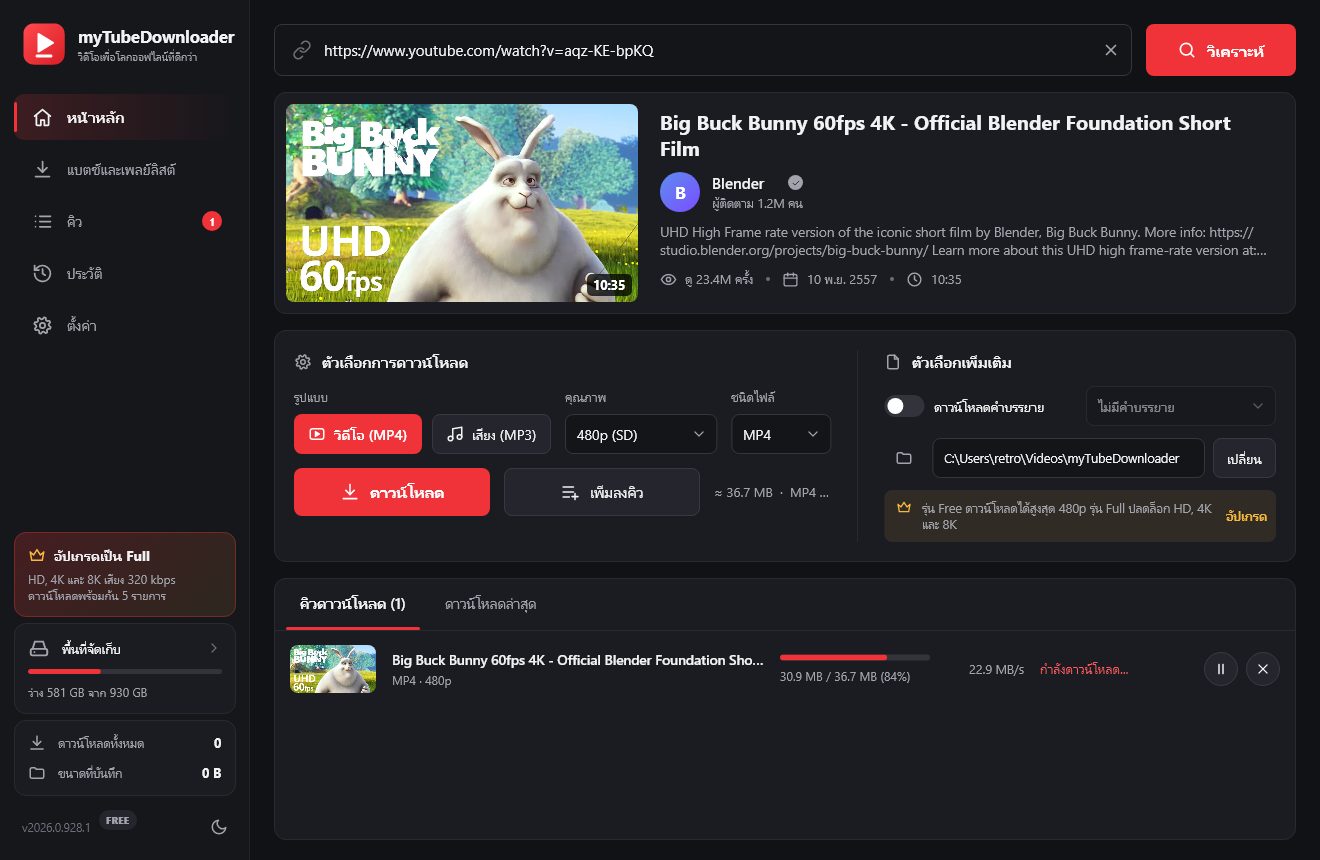
myTubeDownloader saves YouTube videos, Shorts and music as MP4, MKV or WEBM, or as MP3, M4A, Opus, FLAC or WAV audio. Paste a link, press Analyze, pick a quality and download. Downloads pause and resume, wait in a queue, are kept in a history, and whole playlists download together.
できること
Videos, Shorts, playlists and whole channels
Choose the quality, the file type and subtitles; cover art and details are written into the file
Pause, resume and queue
Free saves up to 480p · Full goes up to 8K, MP3 at 320 kbps and five downloads at once
Linux x86-64 ที่มีหน้าจอเดสก์ท็อป: Ubuntu 24.04 / Linux Mint 22 / Fedora 39 / Debian 13 ขึ้นไป
バージョン履歴
バージョン 2026.0.1109.13312026年11月9日
What's new
Linux (preview): an AppImage for x86-64 Linux that works like the Windows edition, for Ubuntu 24.04, Linux Mint 22, Fedora 39, Debian 13 or later (one file that runs without installing: after downloading, allow it to run with chmod +x or right-click › Properties, then double-click it). Updates from inside the program are not on Linux yet.
Chapters: a video with chapters gets a "Choose chapters" button; each chapter you pick becomes its own file, "Title - 03 Chapter name".
Part of a video can now be cut on the exact frame ("Cut on the exact frame", slower). Parts already waiting in the queue keep their times.
Batch: apply a preset to the whole batch, and choose folders per playlist or per channel.
Problem report in Settings › Help: logs and a summary of the setup in a zip on the desktop, with user folder names, emails, passwords and IP addresses hidden. The program never sends it anywhere itself.
Home page rearranged: presets sit on the "Download options" header, the link box is shorter and the queue gets more room.
In-app updates install for real, and if a new version does not start, the previous one comes back. The downloaded file must still be the version the website announced. (2026.0.1107.2144 and older do not install on "Restart and install": download Setup from the website once.)
バージョン 2026.0.1107.21442026年11月7日
No update of the wrong version: after the SHA-256 check, the downloaded file's version must match the one the website announced, or it is deleted and not installed
Download part of a video (start and end as m:ss or h:mm:ss)
Channel pictures beside the channel name instead of its first letter
The home page stacks its options when the window is narrow and scrolls to reach all of them.
Presets for MP4, MP3 and video with subtitles, plus up to 20 saved presets of your own (asks before replacing or deleting one).
Duplicates are detected by clip, format and quality against the queue and history before downloading, checking that the earlier file still exists; skip it or download a new copy without replacing the original, with one summary for a Batch.